Hello there!
It’s a small note about how to add Intel Integrated GPU to a Proxmox VM.
I wanted to try Jellyfin with the hardware-accelerated transcoding. It supports all modern GPUs and should work out of the box or with minimal configuration required when it is installed directly on the host. Docker also shouldn’t be a problem; you have an option to map a device from the host into the container. But Virtual machines usually have a problem.
It depends on the manufacturer of the GPU. You can’t passthrough consumer Nvidia GPUs into VMs. I believe they limited this feature to business/server-class GPUs. Intel and AMD usually are better supported.
In my particular case, I have an old laptop with Intel HD Graphics 530 and Nvidia GeForce GTX 960M. I tried to google the solution to how to passthrough the GPU into the VM even before the installation of Proxmox, just to check whether it is possible or not. There were several guides on how to do it, but they required modifying Proxmox: blacklist some drivers and something else. It looked kind of scary, so I decided to try it later.
Several days later, I finally decided to give it a try. But before I apply any change to Proxmox, I wanted to add my Intel GPU as a PCI Device into the VM and test whether the VM can use the GPU or not.
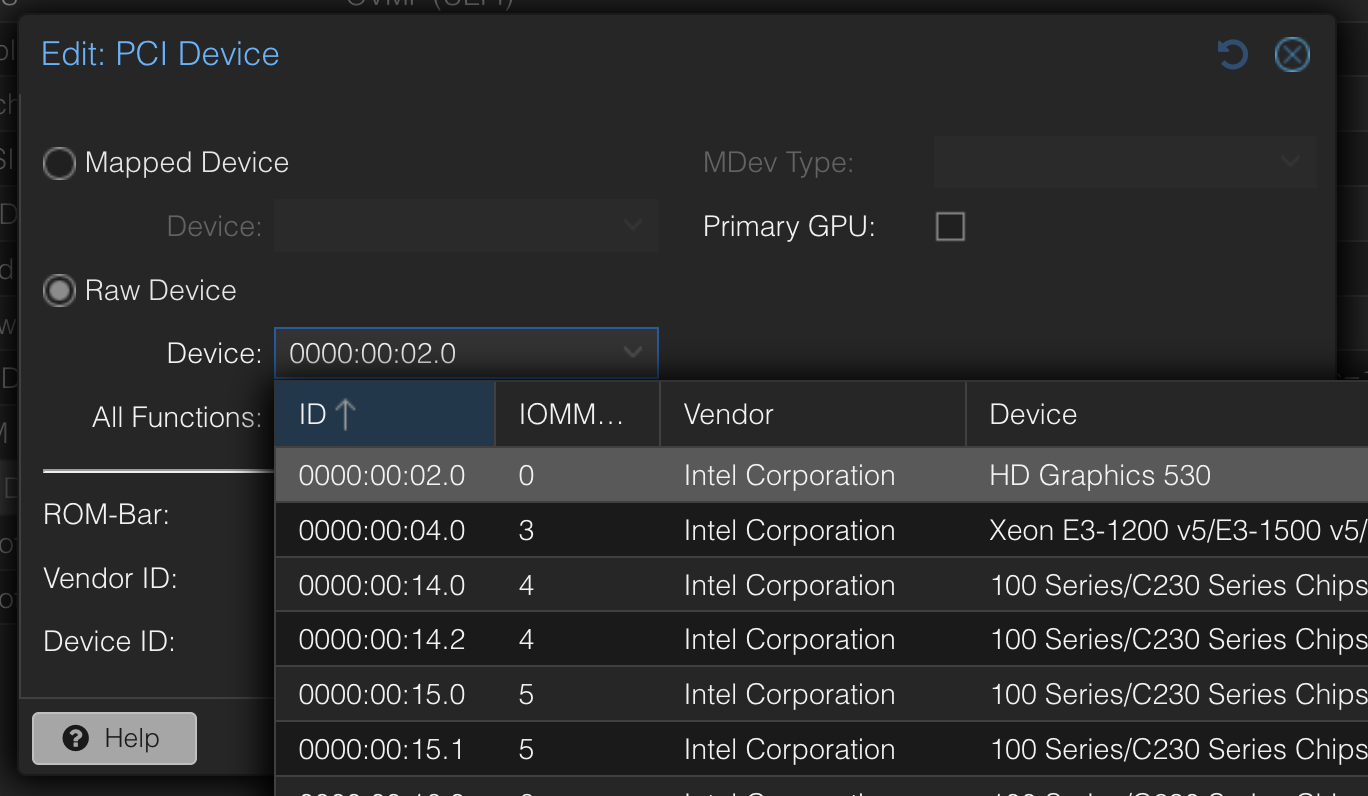
Turns out it can. You don’t need to apply any specific configuration to Proxmox or a VM. It works from the box, and Jellyfin is able to use it for transcoding. Yay!